Historian – History Explorer for Jira turns messy Jira history logs into organized reports. The new Work Item View tab makes it faster to track what changed, who made the update, and when it happened to a selected work item in Jira Cloud. You can find Work Item View right inside your Jira issue under the Activity section. It provides a structured layout to see the history of your work item. The new tab gives you two ways to look at your data, depending on your goal.
Field-Based View
This view focuses on specific fields. When you open it for the first time, it shows the Assignee and Status fields by default. You can select any system or custom fields to track, and Historian – History Explorer for Jira remembers your choices. So your preferred view is ready every time you open a work item. This helps you skip the noise and see the data you actually need.
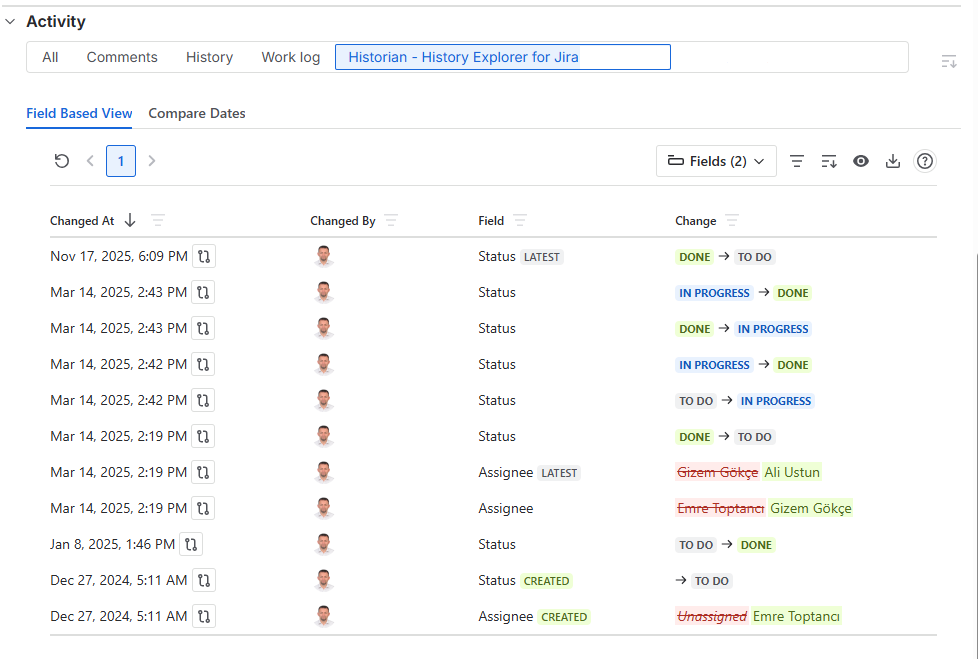
Also, you can use the Field-Based View to filter changes by date, user, field, and previous or new values.
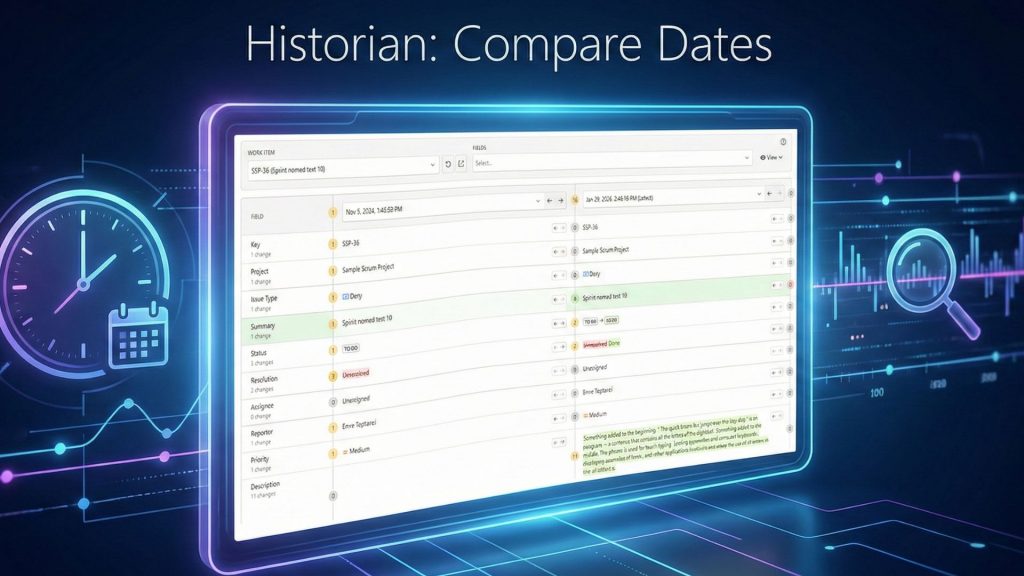
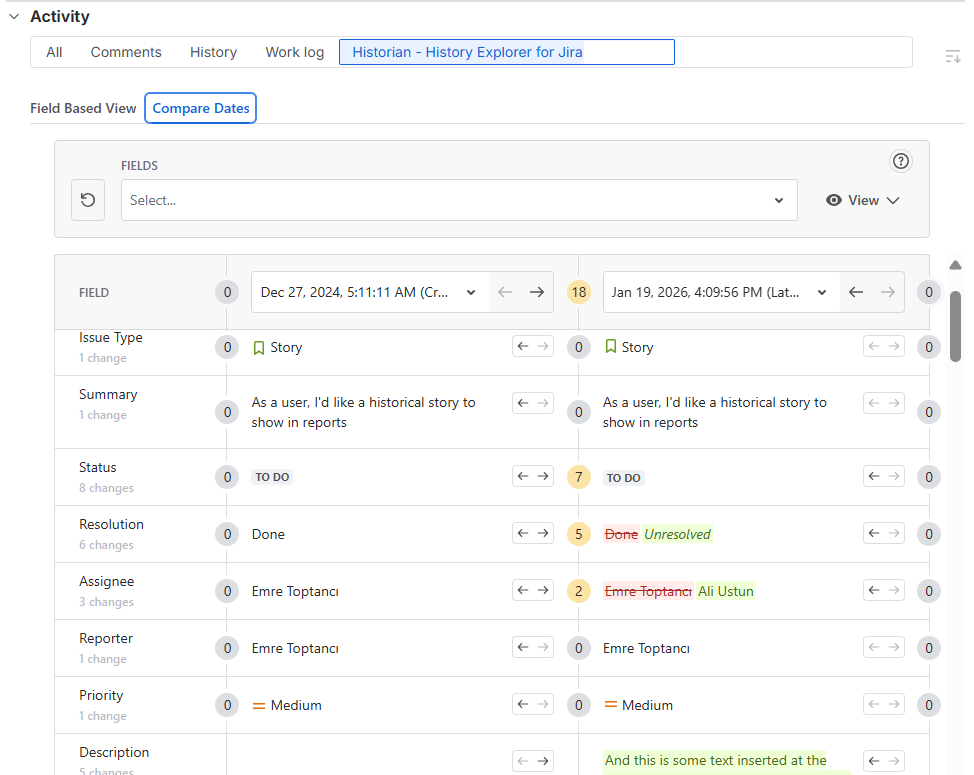
Compare Dates
Compare Dates lets you pick two points in time and see the field values side by side. It only shows you timestamps where an actual change occurred. This saves you from scrolling through empty dates and helps you identify exactly what was affected.
Faster Retrospectives and Easier Audit Reporting
These views and tools help with more than just daily tasks. They make sprint retrospectives simpler because you can see how story points or priorities shifted during the cycle. They also help with audits by providing a clear, filterable record of all modifications.
By default, all users can see this tab and export data. However, you can use the permission settings to choose exactly which users have access. This makes it easier to keep your data organized and secure.
About Historian
Historian – History Explorer for Jira is an app developed by OBSS to organize Jira Cloud issue (work item) history. It replaces the standard changelog with reports that are easy to read and filter. The app tracks changes on any custom or system field.
Historian has Cloud Fortified and Runs on Atlassian badges. It is also part of the Bug Bounty program. All of these mean Historian meets high security and reliability standards. Teams use Historian to improve accountability, prepare for stand-ups, and stay ready for internal or external audits.
To learn more about Historian, visit its Atlassian Marketplace page. You can also visit the official Historian documentation page or book a demo.